


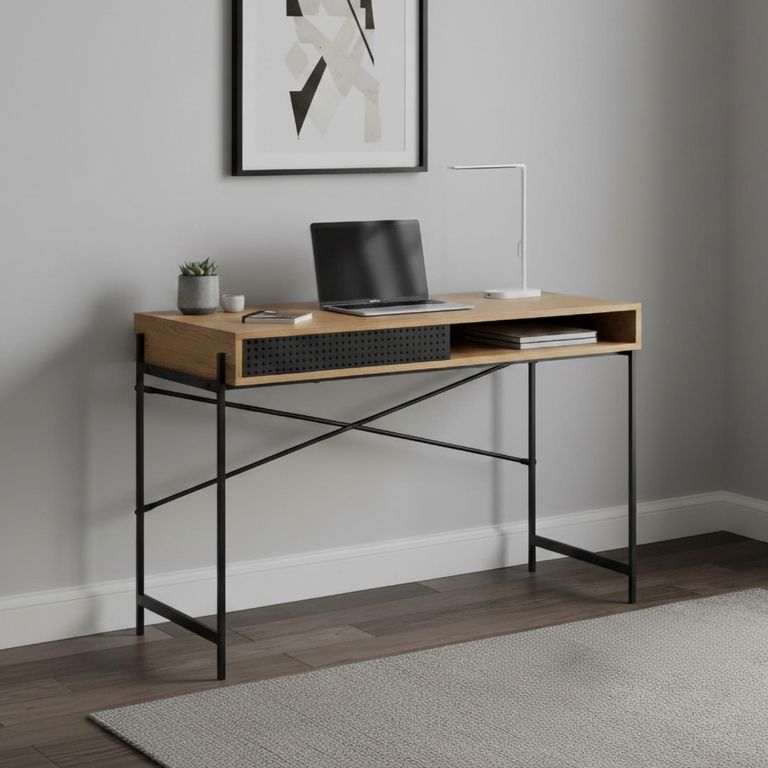
A small desk is only useful when the work fits on it.
Choosing the narrowest model may save floor space, but it can leave the keyboard balanced against a laptop and nowhere to put a notebook. Choosing too much desk can turn a bedroom or spare room into an office first and a living space second.
The right size comes from the equipment you use, the work you do and the clearance needed for the chair—not from the room dimensions alone.
List what must stay on the desk
Clear the current work surface and return only the items used most days.
This may include:
- Laptop or monitor
- Keyboard and mouse
- Notebook or documents
- Phone
- Desk lamp
- Speakers or docking equipment
- Frequently used stationery
Measure the actual equipment, including monitor stands and charging docks. Then arrange it in the order you prefer to work.
A laptop-only setup needs much less width than two monitors. Someone who works mainly on paper needs open surface depth even if their technology is minimal.
Browse desks once the required working area is clear.
Width: compact without becoming cramped
A desk around 80–100cm wide can accommodate a simple laptop setup in many small rooms. A width of 100–120cm gives more freedom for a monitor, keyboard and notebook, depending on the layout.
These are starting points rather than promises. Thick side panels, drawer units and raised shelves can reduce the usable desktop.
Small desks suit bedrooms, alcoves and multipurpose rooms, but compare their clear work surface rather than only the external width.
If your equipment is wider than the desk, do not plan to let it overhang. Monitor feet, speakers and lamps need stable support.
For many home setups, desks 100cm to 120cm wide provide a useful middle ground without taking over the room.
Depth affects screen position
Depth is frequently sacrificed to make a desk look compact.
A shallow desk can work well with a laptop, but an external monitor and separate keyboard need greater distance. If the screen sits too close, pushing the keyboard to the very front is not a good long-term solution.
Measure from the back of the monitor stand to the front edge of the keyboard or working position. Add room for cables so they are not forced sharply against the wall.
Desks 40cm to 60cm deep can suit compact rooms, but the lower end of that range may be better for writing or laptop use than a full desktop setup.
Monitor arms can free some surface space, but only when the desk is suitable for the clamp or fixing and can safely support it.
Height and the chair need to work together
Many fixed desks fall within a fairly narrow height range, but individual bodies and chairs do not.
When seated, the desk should allow you to use the keyboard without lifting the shoulders or bending the wrists sharply. Feet should be supported, and there should be clear space beneath for the legs.
An adjustable office chair helps bring the user to the work surface. If raising the chair leaves the feet unsupported, an appropriate footrest may be needed.
Check the underside height as well as the tabletop. Drawers, crossbars and deep aprons can reduce knee clearance.
A desk can be the correct external height and still feel uncomfortable because there is nowhere to position the legs.
Leave room for the chair
Measure the chair’s width, depth and movement.
The arms need to fit beneath or between the desk structure if you want the chair to tuck away. A drawer pedestal may reduce the clear opening below the desk.
Behind the chair, allow room to sit down, roll back and stand. If the desk is positioned near a bed or wall, mark the chair in both working and pulled-out positions.
A compact desk paired with an oversized chair may use more floor space than expected. Choose the two items as one workstation rather than separate pieces.
Storage can save or consume space
Desks with drawers keep stationery and documents off the worktop. The drawers occupy some leg space and need room to open.
Desks with shelves use vertical space and can reduce the need for another bookcase. A tall upper structure may block light or make the furniture visually heavy in a small room.
Before buying storage, decide what genuinely needs to remain near the desk. Old paperwork and occasional supplies can often live elsewhere.
A simple desk with a small wall shelf may feel more spacious than a complete workstation filled with compartments.
Corner desks are not always space-saving
A corner desk can use an area that would otherwise remain empty and provide generous surface space.
It also occupies two walls and can make future rearrangement difficult. In a small bedroom, the returning section may interfere with a wardrobe or bed.
Measure both arms of the desk and the depth at the centre. Check which side the return sits on and whether it can be reversed during assembly.
Corner desks work best when the room has a genuinely underused corner rather than when a standard desk would fit comfortably along one wall.
Plan cables before positioning the desk
A clean product image rarely shows power leads, chargers and internet equipment.
Locate the sockets and decide how cables will travel without crossing the floor. Check whether the desk includes cable openings, a rear gap or a tray.
A desk pushed tightly against the wall may leave no room for plugs or cable bends. Skirting boards can also create a gap behind the furniture.
Avoid running cables where the chair can roll over them. Extension leads should be used safely and never overloaded.
Consider what the room is after work
In a dedicated office, the desk can remain active all day. In a bedroom or living room, it needs to settle into the background.
A shallow writing desk may suit occasional work and look more like normal furniture. A computer desk may provide better cable management and equipment storage for full-time work.
Drawers make it possible to clear the surface at the end of the day. A desk with open shelves keeps work visible, which may be helpful or distracting.
Choose a finish that relates to the surrounding furniture without trying to match everything perfectly.
Mark the complete workstation
Tape the desk outline on the floor, then add:
- Chair in working position
- Chair pulled back
- Open drawers or cupboard doors
- Nearby wardrobe or bedroom doors
- Lamp and monitor depth
- Cable route
- Main walkway
Sit in an ordinary chair within the outline and imitate using the desk. Check whether you can move your elbows and reach the surface comfortably.
The best small desk is not the one with the smallest measurements. It is the smallest desk that still allows you to work normally.