


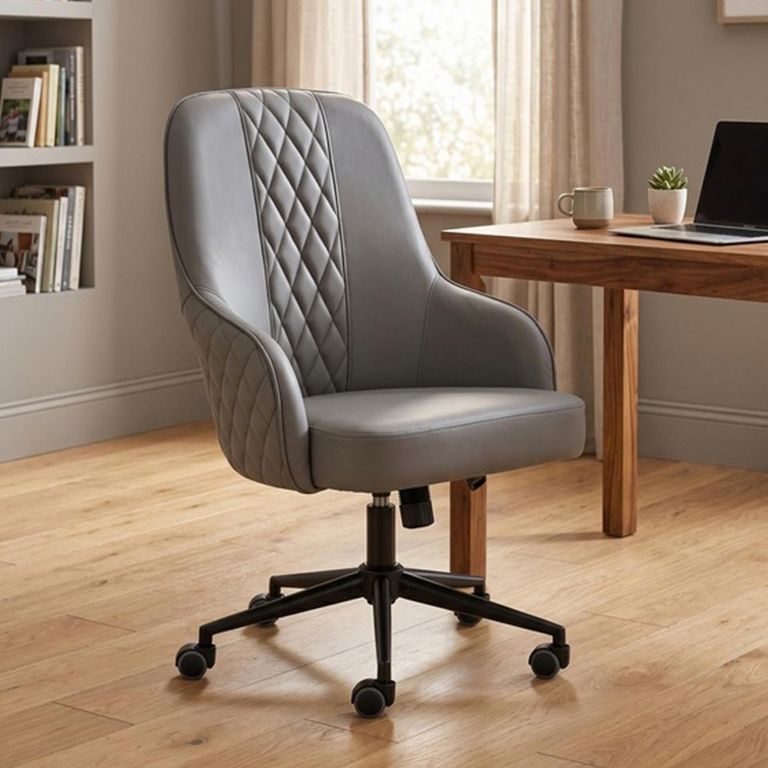
An office chair can have an impressive list of adjustments and still feel wrong for the person sitting in it. Another chair may appear simple but fit so naturally that you stop noticing it during the day.
That is the standard worth aiming for.
The right chair allows you to sit close to the desk, support your feet and change position without fighting the furniture. Features matter, but only when their range of adjustment fits your body and workspace.
Begin with the desk
Before comparing office chairs, measure the desk’s underside.
Record the clear height, width between any drawers or legs and available depth. If the chair has arms, find out whether they can pass beneath the desk. If not, the chair may remain too far from the keyboard.
Also measure the space behind the working position. A high-backed chair with a five-star base occupies more room than its seat dimensions suggest.
Open nearby drawers and doors. The chair needs to move without repeatedly striking them.
Seat height comes first
Sit with the chair adjusted so your feet are supported and your thighs feel comfortably positioned. Your knees should not be forced upwards, and the seat edge should not press heavily behind them.
With the chair at that height, check where your hands meet the desk. You should be able to use the keyboard without lifting the shoulders.
If the chair must be raised significantly to reach the desk, the feet may no longer sit comfortably on the floor. An appropriate footrest can provide support, but it should be part of the plan rather than an afterthought.
Check the chair’s complete seat-height range. The word “adjustable” does not guarantee it moves high or low enough for every user.
Seat depth is just as important
A deep seat can look generous but may prevent a shorter user from sitting against the backrest while bending the knees comfortably.
A very shallow seat may not support enough of the thighs for a taller person.
When seated against the back, there should be some clearance between the front edge and the back of the knees. The exact amount is personal; the important point is that the edge does not press into the legs.
Some chairs include an adjustable sliding seat. This can be useful in a shared office or when fixed depths do not suit the user.
Check the usable depth, not only the chair’s overall front-to-back measurement. A thick backrest may reduce the sitting area.
Understand back support
A supportive chair should make it easier to sit in a comfortable position without forcing the body into one rigid shape.
Lumbar support refers to the part of the backrest designed to meet the lower back. On some chairs it is fixed; on others its height or depth can be adjusted.
An adjustment is helpful only if it reaches the correct area. Test it gently rather than setting it to the strongest position and assuming more pressure means more support.
The backrest should allow changes of posture during the day. Remaining completely still for hours is not the goal, however supportive the chair feels.
An office chair cannot diagnose or treat back pain. If discomfort is persistent or linked to a health condition, seek appropriate professional advice.
Armrests: helpful or obstructive?
Armrests can support the forearms during pauses and reduce the feeling of unsupported shoulders. They can also prevent the chair from moving close enough to the desk.
Measure arm height in the preferred seating position and compare it with the desk underside.
Adjustable arms may move up and down, inwards, outwards or forwards depending on the chair. Decide which movements are genuinely useful for your setup.
People who type with their forearms on the desk may prefer lower arms or none at all. Someone who spends much of the day reading or in calls may value greater support.
Armrests should not force the shoulders upwards or push the elbows too far away from the body.
Recline and movement
A chair that moves with the user is usually more comfortable than one locked in a single upright position all day.
Basic tilt mechanisms allow the seat and back to lean together. More advanced designs may let the backrest move at a different rate or allow the recline tension to be adjusted.
Check whether the chair can lock in several positions or only upright. Find out how the controls work while seated; adjustments that are difficult to reach are less likely to be used.
Recline also needs floor space. The chair may move backwards further than expected, especially with a high back or headrest.
Movement should feel controlled, not loose. Follow the manufacturer’s instructions for setting the tension according to the user.
Headrests are not essential for everyone
A headrest can be comfortable during reclining or long calls. It may be less relevant during active typing, when the head normally remains forward of it.
Its height and angle need to match the user. A fixed headrest in the wrong position may push the head forward rather than support it.
In a small home office, a headrest also increases the chair’s visual height. If the chair sits in a bedroom or living area, a mid-back design may blend into the room more easily.
Choose the back height for the way the chair will be used, not because taller automatically appears more supportive.
Mesh, fabric or leather?
Mesh backrests allow more airflow and create a lighter visual appearance. The quality and tension of the mesh affect support, and the frame edge should not press against the body.
Fabric office chairs offer a softer surface and a wide choice of colours. Fabric can collect dust and may need regular vacuuming.
Leather office chairs create a more traditional executive appearance. Genuine leather, leather-effect coverings and bonded materials have different care requirements, so read the specification carefully.
A heavily padded chair is not necessarily more comfortable. Foam quality, seat shape and support beneath the padding matter more than initial softness.
Consider the room temperature as well as appearance. A chair that feels comfortable for a few minutes should remain pleasant through a full working session.
Castors and flooring
Most office chairs use a five-point base with castors. The castors need to be suitable for the floor surface.
Hard castors may move easily on carpet but mark some hard floors. Softer castors may be recommended for timber, laminate or tile. Check the chair guidance and protect the floor where necessary.
A chair mat must lie flat and be suitable for the flooring. A curled or sliding mat creates a new problem.
If you do not want the chair to roll, look for appropriate glides or a chair designed for stationary use rather than improvising a way to stop the wheels.
Check the chair’s full size
Product width may be measured across the arms, seat or base. The base is often the widest part.
Measure the route through the house and the final working space. Check whether the chair arrives assembled or whether the back, arms and base need fitting.
Also look at the recommended user-weight limit and any stated suitability for daily-use duration. These details vary by model and should not be guessed from appearance.
A broad chair is not automatically more supportive, and a compact chair is not automatically suitable for a smaller user.
Try the adjustments in the right order
When setting up a chair:
- Adjust the seat height so the feet are supported.
- Check the relationship between the chair and desk.
- Set the seat depth if it is adjustable.
- Position the lumbar support.
- Adjust the armrests without raising the shoulders.
- Set the recline tension and test movement.
- Position the monitor and keyboard around the seated posture.
Changing everything at once makes it difficult to know which adjustment helped.
Revisit the setup after a few days. New chairs feel unfamiliar, and a small change in arm or lumbar position can make a noticeable difference.
Comfort also requires getting up
No chair removes the need to change position. Build short standing and movement breaks into the working day where possible.
Keep frequently used items within easy reach, but do not arrange the whole office so that nothing ever requires you to stand.
The chair should support work, not hold the body in one position from morning until evening.
Making the final decision
Choose the chair that fits beneath the desk, adjusts to your seated height and supports changes of position.
Prioritise seat dimensions and adjustment ranges over labels such as executive, ergonomic or luxury. Those terms describe a category or style; they do not prove that the chair will fit you.
The best home-office chair is not necessarily the one with the longest feature list. It is the one whose useful adjustments fall in the right places—and which allows you to finish the working day without feeling that you have been negotiating with your furniture.