


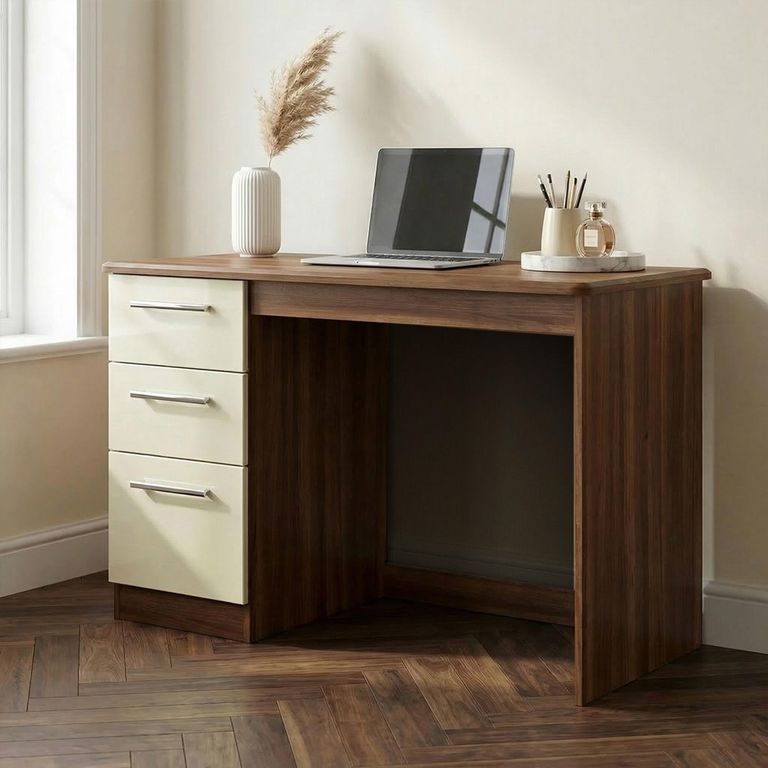
A writing desk and a computer desk can look remarkably similar in a photograph. Put them into daily use, however, and the differences become much clearer.
One is usually designed around a laptop, notebook and a relatively light working setup. The other is expected to accommodate monitors, cables, speakers, equipment and perhaps several hours of use at a time. Neither is automatically the better choice. The right desk depends on what you actually do, what needs to live on the surface and how much space the room can spare.
Before comparing styles, browse the full selection of desks and make a note of the dimensions that suit your room. Product names are helpful, but measurements tell you far more.
What is a writing desk?
A writing desk is generally the simpler of the two designs. It tends to have a clean top, a relatively shallow profile and either no storage or a small number of drawers.
Despite the name, it is not limited to handwriting. A writing desk can be ideal for:
- Occasional laptop use
- Household paperwork
- Studying and revision
- Journalling or creative work
- A dressing-room workstation
- A discreet work area in a bedroom or living room
Its main advantage is that it can sit comfortably within a furnished room without making the space feel like a permanent office. Many writing desks resemble slim console tables, which makes them easier to pair with existing bedroom or living-room furniture.
The trade-off is that the surface may not be deep enough for a large monitor, separate keyboard and comfortable viewing distance. Storage can also be limited.
What makes a computer desk different?
A computer desk is planned around technology. It will often provide a deeper or wider working surface, space for computer equipment and practical ways to manage cables.
Some computer desks include shelving, cupboards, keyboard trays or openings at the back for wires. Others have a simple desktop but provide the depth needed to position a monitor without sitting uncomfortably close to the screen.
A computer desk is normally the stronger choice when you use:
- One or more monitors
- A desktop computer tower
- A separate keyboard and mouse
- Speakers, a printer or other equipment
- A docking station and several charging cables
- The desk for most of the working week
That does not mean every computer desk will suit every setup. Check the usable surface rather than the overall width alone. A desk with thick side panels, raised shelves or a large cupboard may offer less knee room and desktop space than its external measurements suggest.
Measure the equipment, not just the room
It is tempting to measure an empty wall and buy the widest desk that fits. That is only half the job.
Arrange your monitor, laptop, keyboard, notebook and any other essentials on a table. Measure the area they occupy when positioned comfortably. This produces a far more realistic minimum desktop size.
Depth deserves particular attention. A shallow desk may fit neatly into an alcove, but it can push the screen too close to you or leave no room to rest your forearms. If floor space is tight, CFS has desks measuring 40cm to 60cm deep, but the correct depth still depends on your equipment and preferred working position.
Remember to include skirting boards when measuring the available floor space. They can prevent the rear of a desk from sitting completely against the wall.
Think honestly about storage
Drawers are useful, but only when they hold things you regularly need. A bulky pedestal is poor value if it reduces legroom and gradually fills with forgotten stationery.
A writing desk with one or two shallow drawers may be enough for a charger, notebook and important documents. A busier workstation might benefit from desks with drawers, particularly when the room has no separate filing or office storage.
Shelving is helpful for books and small equipment, although its position matters. Check that an overhead shelf will not interfere with a monitor and that lower shelves will not compete with your legs or computer tower. Compare desks with shelves if you need storage but do not have room for another cabinet.
Cable management matters more than it appears
A laptop and one charger need very little planning. A monitor-based setup can quickly produce a tangle of power, display and accessory cables.
Before ordering, look at the photographs of the rear of the desk. Ask yourself:
- Is there an opening for cables?
- Can a plug pass through it?
- Is there somewhere to attach a cable tray?
- Will a rear panel block the wall socket?
- Can equipment be unplugged without moving the entire desk?
If you prefer a writing desk but use a monitor, a discreet cable sleeve or under-desk tray can keep the lighter appearance while controlling the wires.
Which desk works best in a small room?
In a compact room, the best desk is not necessarily the smallest one available. A desk that is too narrow for comfortable work may simply create frustration.
Start with the minimum surface your work requires, then look for the least bulky design that provides it. CFS’s small desks include both writing and computer styles, so you do not have to choose based on the label alone.
A writing desk often works well in a bedroom because of its lighter proportions. A compact computer desk may be more practical in a dedicated home office, particularly if it replaces the need for extra storage.
Whichever style you choose, leave enough room to pull out the chair and sit down without striking the bed, wall or furniture behind you.
Do not forget the chair
The desk and chair need to work as a pair. Measure the space between the floor and the underside of the desktop, paying attention to drawers or support rails that reduce clearance.
Then consider armrests. Some chairs cannot be tucked underneath shallow desks because their arms meet the desktop. This may leave the chair projecting into the room when it is not being used.
If the desk will support regular working days, pair it with a suitable office chair rather than choosing a chair purely because it matches the room.
The simple answer
Choose a writing desk if you mainly use a laptop, want a lighter piece of furniture or need an occasional workspace that will blend into another room.
Choose a computer desk if your setup includes monitors, permanent equipment, numerous cables or a greater need for organised storage.
Most importantly, check the actual dimensions. A generously sized writing desk may serve a computer user perfectly, while a small computer desk may not provide enough room for a modern setup. The name suggests how the desk was designed; your measurements decide whether it will work.